

Business email compromise (BEC) occurs when criminals spoof or take control of a business email account to redirect payments, request funds, or steal sensitive company information.
What to look for: Payment requests break normal process, last minute banking changes, pressure to act fast, requests for secrecy, slight misspellings or odd email addresses

You receive an urgent message that asks you to wire funds immediately, before the end of the day, or claims an invoice needs to be paid in the next 30 minutes.
Example:
It looks like it’s from your bank or payment provider, claiming there’s a problem with your business account.
Scammers try to stop you from verifying the request and discourage you from asking further questions.
Example:
“This is confidential—do not discuss this with anyone else.”
A fake website may look nearly identical to a real company page.
- Always verify payment requests and account changes through a trusted phone number or secondary contact method before taking action.
- Carefully review email addresses, links, and websites for small spelling changes or unusual formatting.

Scammers may pretend to be a trusted company, contact, or organization to get you to click a link, open an attachment, share information, or send money.
One type of impersonation scam is a “remote access” scam. Fraudsters may pose as your bank, a technology company, or another trusted organization and ask you to install software that gives them access to your computer or device. Never grant remote access in response to an unexpected request.
What to look for: Urgency to act immediately, requests for sensitive information, generic greetings, unusual payment requests, slight misspellings or odd email addresses, refusal to verify identity

You receive an urgent message that looks like it’s from your bank or payment provider, claiming you need to act immediately before verifying the request.
You may be asked for passwords, banking details, verification codes, or personal data.
Attackers use logos, branding, and lookalike websites to appear trustworthy.
Example: A phishing email can direct you to a fake login page that closely resembles a real company website.
- Never click suspicious links or share sensitive information through unexpected emails, texts, or phone calls.
- Verify requests directly with the company or individual using trusted contact information, not the information provided in the message.
- Use strong passwords, multi-factor authentication, and employee awareness training to help reduce the risk of phishing attacks.

ACH and wire fraud involve deceptive attempts to redirect electronic payments to accounts controlled by bad actors.
What to look for: Unexpected payment instructions, new banking details, requests to bypass normal approval steps, transfers that feel unusually urgent, confidential, or out of pattern

Scammers may request updated banking information for invoices or payroll.
You might be pressured to send payments quickly without verification.
Example: “This wire must be completed today to avoid penalties or delays.”
Attackers may send realistic-looking invoices or emails from compromised accounts.
Example: An email appears to come from a trusted vendor but contains different banking details.
- Always verify changes to payment instructions using trusted phone number or known contact before sending funds.
- Use dual approval processes for large transfers and carefully review invoices, email addresses, and account information for inconsistencies.

Check and mail fraud can involve stolen checks, altered payee names or amounts, counterfeit checks, and stolen mail used to redirect payments.
What to look for: Vendor says they never received payment, check clears for the wrong amount, payee is different than expected, mail appears tampered with or missing

Important payments, invoices, or financial documents may never arrive.
Fraudsters may change payee names, amounts, or create fake checks using stolen account information.
Scammers may send fake checks and ask victims to send money back before check bounces.
- Use secure mail drop locations and avoid leaving outgoing mail or checks in unsecured mailboxes or an outdoor USPS collection box after its final pick-up time.
- Consider using electronic payment when possible.
- Monitor bank accounts regularly for unauthorized transactions and closely review check images.
- Always verify unexpected checks or payment requests before depositing or sending money.
- Sign up for Fraud Inspector to monitor your account and flag transactions that may need review so you can act quickly.

Identity theft and account takeover happen when criminals steal personal or business information and use it to access existing accounts or open new ones.
What to look for: Unexpected withdrawals, unfamiliar transactions, password-reset notices, missing mail, account changes you don’t recognize

You may receive alerts for logins, password resets, or verification codes you did not request.
Scammers may make purchases, transfer funds, or change account settings once access is gained.
Fraudsters may impersonate trusted companies to collect sensitive details.
Example: A fake email asks you to “verify your account” by entering your login credentials.
- Use strong, unique passwords and enable multi-factor authentication on all important accounts to add an extra layer of security.
- Be cautious of emails, texts, or calls requesting personal information or login credentials, especially if they create urgency.
- Regularly monitor your financial and online accounts for suspicious activity and report any unauthorized access immediately.

Criminals use fake emails, stolen credentials, or social engineering to get payroll records, tax documents, direct-deposit details, or other sensitive employee information.
What to look for: Urgent requests for W-2s, urgent request for payroll files, urgent request for employee records, request for password reset, request for direct deposit change

You may receive a message to update direct deposit information quickly.
Example: “Hi, I changed banks. Can you update my direct deposit before payroll closes today?”
Fraudsters may impersonate executives or HR staff to request sensitive records.
Example: You might be prompted to send all employee W-2s and payroll files immediately.
Attackers create fake portals designed to steal usernames and passwords.
Example: Employee receives a fake “Payroll update required” email linking to a fraudulent login page.
- Always verify payroll or employee data requests through a trusted internal process before making changes or sharing information.
- Use multi-factor authentication, secure employee portals, and employee training to reduce the risk of phishing and credential theft.
- Monitoring account activity regularly can help identify suspicious behavior early.

Ransomware is malicious software that can lock your files or systems, disrupt your operations, and pressure your business to pay to regain access.
What to look for: Suspicious links or attachments, systems acting strange, losing access to files, messages demanding payment to restore business data

Attackers may send fake invoices, documents, or links containing malware.
Example: An employee opens an unexpected attachment labeled “Urgent Invoice.”
Businesses may suddenly lose access to files, applications, or entire networks.
Example: A message appears demanding payment to unlock company data.
Slow systems, disabled security tools, or unexpected pop-ups can signal an attack in progress.
- Regularly back up important business data and keep software and security systems updated to reduce vulnerabilities.
- Train employees to recognize suspicious emails and avoid clicking unknown links or attachments.
- Use strong passwords, multi-factor authentication, and network security tools to help prevent ransomware attacks before they spread.

Investment scammers target business owners with offers that promise high returns, low risk, or exclusive access, then pressure you to commit before checking the facts.
What to look for: Guaranteed returns, limited-time offers, pressure to act immediately, requests for secrecy, promise of exclusive access, pressure before fact checking

Scammers promise fast profits or “risk-free” investments.
Example: “Double your money in 30 days-guaranteed.”
The message is used to create urgency so you don’t have time to research the opportunity.
Example: “This investment closes tonight. Don’t miss your chance.”
Scammers may create a professional-looking website, app, or profile that appears legitimate.
Example: A fake trading platform would show false profits to encourage larger deposits.
- Always research investment opportunities and verify that advisors or companies are properly registered before sending money.
- Be cautious of guaranteed profits, pressure to act quickly, or requests to pay through cryptocurrency, wire transfers, or gift cards. If an investment sounds too good to be true, it probably is.

Turn on account and transaction alertsDisclosure 1 .

Change passwords and update login credentials.

Enable 2‑Step Verification or biometrics.

Review and remove unknown devices.


of businesses received a fake text posing as a trusted vendor or client

of business email compromise (BEC) is 3rd party impersonation, making it the most frequent BEC scam

of respondents cite BEC as the #1 avenue for fraud attempts

of organizations reported they faced external tactics other than email (e.g., forged checks, stolen checks, identity fraud)

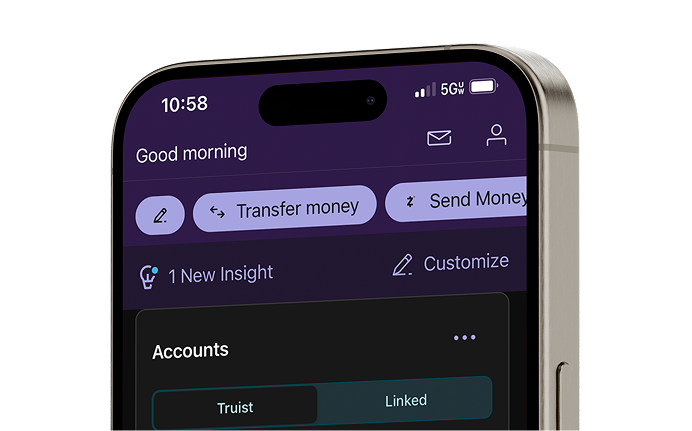
Running a small business means balancing growth with risk. Truist offers digital fraud prevention tools designed to help you monitor account activity, detect suspicious transactions, and respond quickly while keeping your business running smoothly.
For clients with more complex needs, Truist One View brings together payments, fraud controls, and reporting tools in one secure, single sign-on experience. Contact your Truist banker at 800-774-8179.



Accounting and financial software can make your life easier. Automate recordkeeping, establish good bookkeeping habits, and connect your checking account to streamline your financial management.

Looking to reduce expenses and grow the profitability of your business? Here are five tactics to cut short- and long-term costs that many small business owners overlook.

Know the sources of today’s business fraud.